Examples are shaped around real service calls, quote requests, routes, materials, and proof.
OBG Tools
Professional websites and private operating tools for businesses, clubs, and sports leagues.
OBG Tools builds the public website and configures practical private tools around the way your business or organization operates.
Choose Business Tools, Clubs, or Sports Leagues to see the right website and operating-system examples.
Already a customer? Open Setup.
Choose your path
What do you operate?
Choose the path that sounds like you. Each category includes its own working examples and the clearest next step.
From idea to launch
You choose the direction. OBG Tools handles the setup.
You do not need to learn a website builder or configure an operating system alone. The work moves through one direct, founder-led process.
- Choose what fitsStart with the customer path and working example closest to your operation.
- Send the right information onceServices, branding, roles, content, and launch needs stay in one setup workspace.
- OBG Tools builds itThe public website and approved private tools are configured around the agreed scope.
- Review and connectConfirm the design, domain, request flow, payments, and operating details.
- Launch with supportReceive a final walkthrough plus ongoing hosting, upkeep, and practical help.
Pricing
Choose the right setup for your business.
Pick the connection level first, then decide whether the approved niche app/dashboard is part of the monthly plan. Website setup and monthly service are always shown separately.
Why OBG Tools
Practical support for small local businesses.
The offer is simple: get a professional website online, keep pricing clear, and add owner tools only where they are actually useful.
The public customer site comes before complicated software or dashboard decisions.
Website setup, dashboard access, and monthly upkeep stay separate and visible.
Review the current website and private-tool demonstrations before choosing a setup path.
The examples are built for customers who call, text, and request service from their phone.
Work directly with Xavier at OBG Tools in Western Massachusetts for setup, content, configuration, testing, and launch.
FAQ
Clear answers before setup.
OBG Tools is website-first. Every public example uses one exact status: Working private app demo, Dashboard preview, or Website example only.
Technical maintenance, bug fixes, security/platform updates, keeping the website and dashboard working, small content/configuration help, and ongoing platform improvements.
Unlimited redesigns, unlimited custom feature development, full marketing agency services, and full accounting/payroll services are not included in standard monthly upkeep.
One Connection adds either saved customer requests or an online payment/deposit path. Full Connection includes both. App + Website plans add an approved private owner workspace where that workflow is available.
Month-to-month cancellation takes effect at the end of the current paid billing period, with no additional notice-period charge. Service remains active through the paid period; hosting, app access, support, publishing, and connected services then end unless another written arrangement is approved. Available customer records and practical exportable media can be provided, but OBG Tools code, templates, database structure, and platform logic are not included.
You own your business name, original logo, photos, videos, writing, business information, and customer and operational records. OBG Tools LLC owns the platform code, templates, layout system, database design, and reusable software unless a written agreement says otherwise.
Yes. A business can start with Website Only - Standard, move to One Connection or Full Connection, then add an approved dashboard with an App + Website plan when useful.
Founding customers lock in their subscription price while their account remains active, receive improvements as they are released, and help shape future OBG Tools updates.
After server validation, referred customers receive a two-week trial, 10% off eligible setup, and 20% off eligible monthly charges. Referrers receive 20% credit in Year 1, 10% in Year 2, and 5% while the referred customer remains active afterward, capped at the referrer’s own eligible monthly charge.
Yes. Every example is labeled as a Working private app demo, Dashboard preview, or Website example only. Activation is reviewed so the setup matches the purchased scope.
Ready when you are
Ready to give customers a clearer place to start?
Send the business type, service area, and what customers usually ask for. OBG Tools will help you pick the right website package before anything gets connected.
What We Build
Three clear paths: Business Tools, Clubs, and Sports Leagues.
OBG Tools builds professional public websites and private operating systems around how each business, club, or league actually works.
You work directly with OBG Tools. Scope, content, configuration, review, and launch support stay in one clear process.
How It Works
A clear path from the first conversation to launch.
You see the working example inside the relevant category, confirm the scope, send the setup details, and review the finished experience before launch.
Tell OBG Tools whether you run a business, club or membership organization, or sports league.
See the public experience and private tools, then decide what your operation actually needs.
Use Setup to keep branding, services, roles, records, timing, and launch notes together.
Test the agreed public pages and private workflows before the final rollout.
Start your project
Tell us what you operate and what should become easier.
You will get the most relevant example and a clear next step.
Websites & Business Tools
Professional public websites, with private business tools where the workflow is ready.
Browse by the work the business performs. Individual Margin apps are demonstrations of supported workflows, not product names a customer has to understand before seeing the value.

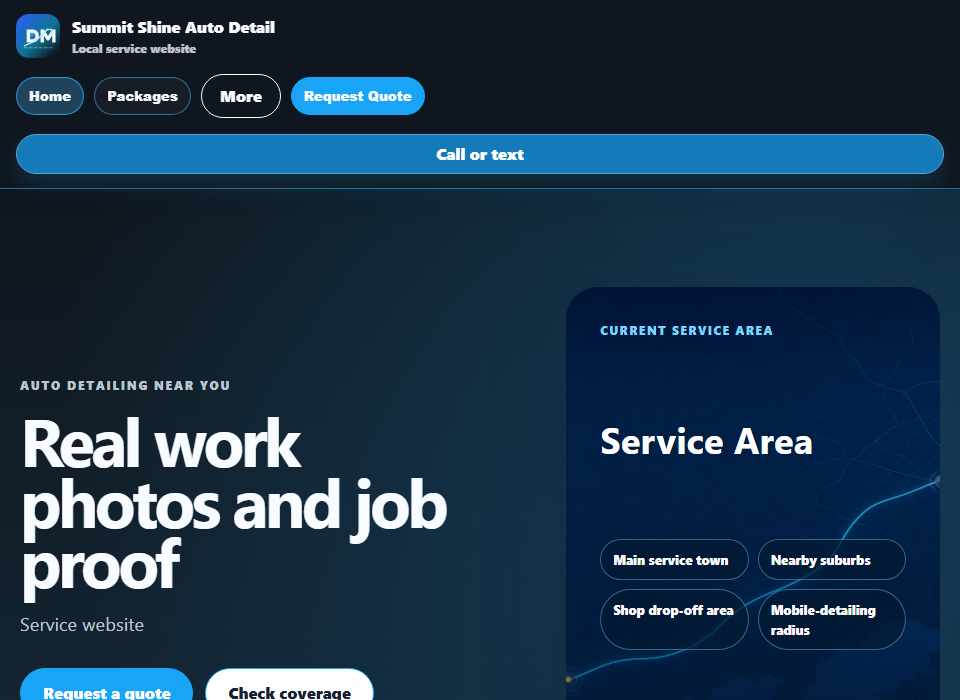
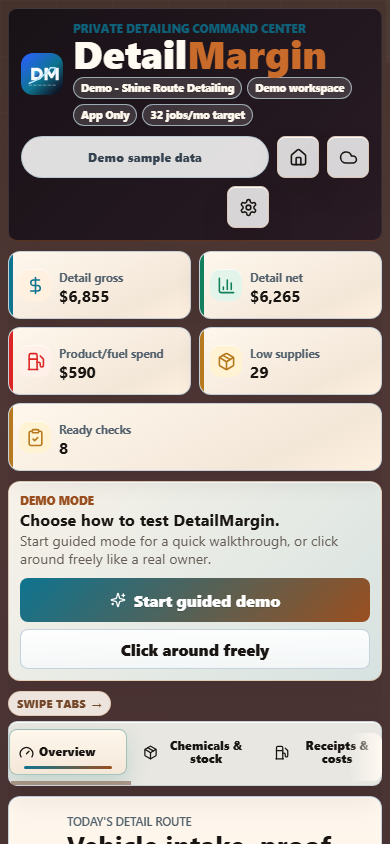
DetailMargin
Website available nowWorking private app demo
Auto detailersBest for Mobile detailers and small shops managing vehicle requests, packages, proof photos, and receipts.
Customer websiteVehicle, package, condition, location, and contact details
Owner appVehicles, packages, jobs, inventory, proof, expenses, and profit

LandscapeMargin
Website available nowWorking private app demo
Landscapers and lawn-care businessesBest for Route operators and small crews handling recurring lawn work, cleanups, and landscape projects.
Customer websiteProperty type, lot size, service frequency, and access details
Owner appProperties, services, routes, jobs, materials, expenses, and profit

MobileMechanicMargin
Website available nowWorking private app demo
Mobile mechanics and repair businessesBest for Service-call operators who need vehicle details, symptoms, diagnostics, parts, and follow-up together.
Customer websiteVehicle identity, mileage, symptoms, and service location
Owner appVehicles, diagnostics, jobs, parts, proof, expenses, and profit

ElectricianMargin
Website available nowWorking private app demo
Electricians and service contractorsBest for Residential and light-commercial teams handling service calls, estimates, safety notes, and materials.
Customer websiteIssue type, address, urgency, panel or fixture notes, and access
Owner appService calls, jobs, materials, technician proof, expenses, and profit

PlumberMargin
Website available nowWorking private app demo
Plumbers and drain-service businessesBest for Small plumbing teams managing leaks, drains, fixtures, water heaters, approvals, and dispatch.
Customer websiteIssue, urgency, shutoff status, fixture location, and access
Owner appService calls, jobs, parts, technician proof, receipts, and profit

HandymanMargin
Website available nowWorking private app demo
Handymen and small project businessesBest for Independent operators handling repair lists, installations, maintenance, materials, and access notes.
Customer websiteProject type, urgency, materials, access notes, and service area
Owner appProjects, jobs, materials, scheduling, proof, expenses, and profit

HVACMargin
Website available nowWorking private app demo
Heating and cooling service businessesBest for Small HVAC teams handling repair calls, maintenance, equipment notes, dispatch, and follow-up.
Customer websiteSystem type, heating or cooling issue, urgency, and equipment details
Owner appService calls, jobs, parts, technician proof, expenses, and profit

RoofingMargin
Website available nowWorking private app demo
Roof repair and replacement businessesBest for Residential roofing teams handling leaks, storm damage, inspections, estimates, and job proof.
Customer websiteRoof type, issue or damage, timing, building access, and service area
Owner appInspections, projects, crews, materials, proof, expenses, and profit

TreeServiceMargin
Website available nowWorking private app demo
Tree care and removal businessesBest for Tree-service crews handling pruning, removals, hazards, storm cleanup, access, and equipment.
Customer websiteTree count, service type, hazards, utility notes, and property access
Owner appProperties, estimates, crews, equipment, jobs, expenses, and profit

PestControlMargin
Website available nowWorking private app demo
Pest-control businessesBest for Local operators managing inspections, treatments, recurring service, materials, and customer follow-up.
Customer websitePest type, affected areas, severity, property details, and occupant concerns
Owner appProperties, inspections, treatments, materials, routes, expenses, and profit
Websites
Pick a template, customize it, then checkout from that page.
Choose a niche below. Each template page lets you adjust tier, layout, colors, request flow, proof areas, schedule style, and button style before secure checkout keeps those choices attached to the setup order.
Customize + checkout
Confirm your OBG Tools package.
Choose the pricing option and approved niche here. Website setup details are handled after purchase; App Only skips the website build.
Loading the selected package from the approved pricing model...
Checkout uses the selected pricing option. Website plans include the setup fee plus monthly upkeep. App + Website and App Only require an approved niche app/dashboard. After purchase, use the Setup tab/sign-in area to track progress and provide services, photos, logo, service area, and business details.
Website available now · Working private app demoDetailMargin
Auto detailers
Vehicle, package, condition, location, and contact detailsWebsite available now · Working private app demoLandscapeMargin
Landscapers and lawn-care businesses
Property type, lot size, service frequency, and access detailsWebsite available now · Working private app demoMobileMechanicMargin
Mobile mechanics and repair businesses
Vehicle identity, mileage, symptoms, and service locationWebsite available now · Working private app demoElectricianMargin
Electricians and service contractors
Issue type, address, urgency, panel or fixture notes, and accessWebsite available now · Working private app demoPlumberMargin
Plumbers and drain-service businesses
Issue, urgency, shutoff status, fixture location, and accessWebsite available now · Working private app demoHandymanMargin
Handymen and small project businesses
Project type, urgency, materials, access notes, and service areaWebsite available now · Working private app demoHVACMargin
Heating and cooling service businesses
System type, heating or cooling issue, urgency, and equipment detailsWebsite available now · Working private app demoRoofingMargin
Roof repair and replacement businesses
Roof type, issue or damage, timing, building access, and service areaWebsite available now · Working private app demoTreeServiceMargin
Tree care and removal businesses
Tree count, service type, hazards, utility notes, and property accessWebsite available now · Working private app demoPestControlMargin
Pest-control businesses
Pest type, affected areas, severity, property details, and occupant concernsReferral / Partner Program
Give a local business a better setup price and lower your own subscription.
OBG Tools partners can be customers, local connectors, niche business owners, creators, social pages, or industry people who send good-fit service businesses. Referral discounts are manually reviewed before approval, and only active paying referrals count.
For the referred customer
After server validation, a referred customer receives a two-week trial, 10% off eligible setup charges, and 20% off eligible monthly charges. Original and final prices remain visible before checkout.
- Applies only to active accounts and collected payments.
- Discounts are removed if the referred customer cancels.
- No automatic approval, guaranteed discount, or free-forever claim is implied.
For the referrer
Referrers earn account credit on their own active OBG Tools account: 20% during each referral’s first year, 10% during the second year, and 5% while the referred customer remains active afterward. Applied credit is capped at 100% of the referrer’s own eligible monthly charge.
- Only active paying referrals count.
- If a referred customer cancels, that referral discount is removed.
- Referral status is reviewed manually before approval.
- Discounts are based on collected revenue after refunds, chargebacks, failed payments, and cancellations.
Sign in to view referral status
Referral results live inside your OBG Tools account. Sign in with the approved partner email to see referral code, active referred customers, subscription discount estimates, pending review, and account status.
New partners can email referrals@obgtools.com or call/text (413) 824-9906. Referral totals stay estimated until OBG Tools manually reviews active subscriptions and collected payments.
Customers
Refer another local business that needs a website, request flow, or private dashboard where available.
Local connectors
For people who know contractors, cleaners, detailers, mechanics, property owners, and service businesses in town.
Niche business owners
Own one business and know similar owners? Refer them without promising instant approval or automatic setup.
Creators / influencers
Creators, local pages, niche influencers, and business owners can reach out for custom partner deals.
Customer example
10% off setup after reviewA referred customer can receive a setup discount after referral review.Referrer example
Year 1 referral = 20% creditYear 1 subscription discount for the referrer while that referred customer stays active and paying.Become a partner
Send good-fit local businesses, not spam.
Use a referral code in the URL like ?ref=LOCALPRO, ?partner=LOCALPRO, or ?code=LOCALPRO. The code is preserved in setup checkout/contact flows where possible. Referral benefits are manually reviewed and depend on active paying accounts.
Setup workspace
Track your website build and send the details I need.
Checkout starts from each customer website template. Customize the template first, then Stripe checkout keeps those selections attached to the setup order. This setup area is for paid or approved customers to sign in, see account progress, and provide deeper business details, services, photos, logo notes, and launch preferences.
After checkoutOBG Tools turns the selected package into a launch checklist. Website setup, dashboard access, and monthly upkeep stay separate.
Step 1Order receivedStripe payment or manual approval creates the setup record.
Step 2Business infoSend services, service area, photos, logo, links, and must-have pages.
Step 3Build + reviewOBG Tools builds, reviews, connects, and prepares the launch path.
What you can add here
- Business name, service area, and contact preferences
- Services/packages, quote basis, and add-ons
- Logo, colors, photos, proof examples, and gallery notes
- Connected website needs: saved requests, deposits, payment path, or dashboard sync
- Launch notes and questions before the site goes live
What sign-in will show
- Paid setup orders and fulfillment status
- Active app/dashboard access where approved
- Referral/partner status if connected
- Subscription status after app/dashboard checkout
Locked until checkout
Pay for website setup to unlock the setup brief.
Customize a customer website template first, then checkout from that template page. After payment, create or sign into the OBG Tools account using the same email from checkout. Then this setup brief unlocks so you can send services, logo/photo notes, and launch details.
Setup brief
Send your website build details.
This is unlocked for paid or manually approved setup customers. Use it to send the details I need after checkout.
Setup brief details are used to build your website. Do not send passwords, secret keys, or private customer data here.
Contact
Request setup or check availability.
Call, text, or email with the niche, business name, service area, and whether you need a website, a working private app demo, a dashboard preview, ClubMargin setup, or launch help.
Independent sales
Already selling OBG Tools?
The Sales Partner workspace is separate from the customer referral-credit center.